Start with the document, not the bank feed.
Most bookkeeping software begins with money moving through a bank account. ShoeboxTaxes begins with the receipt or invoice that explains why it moved.
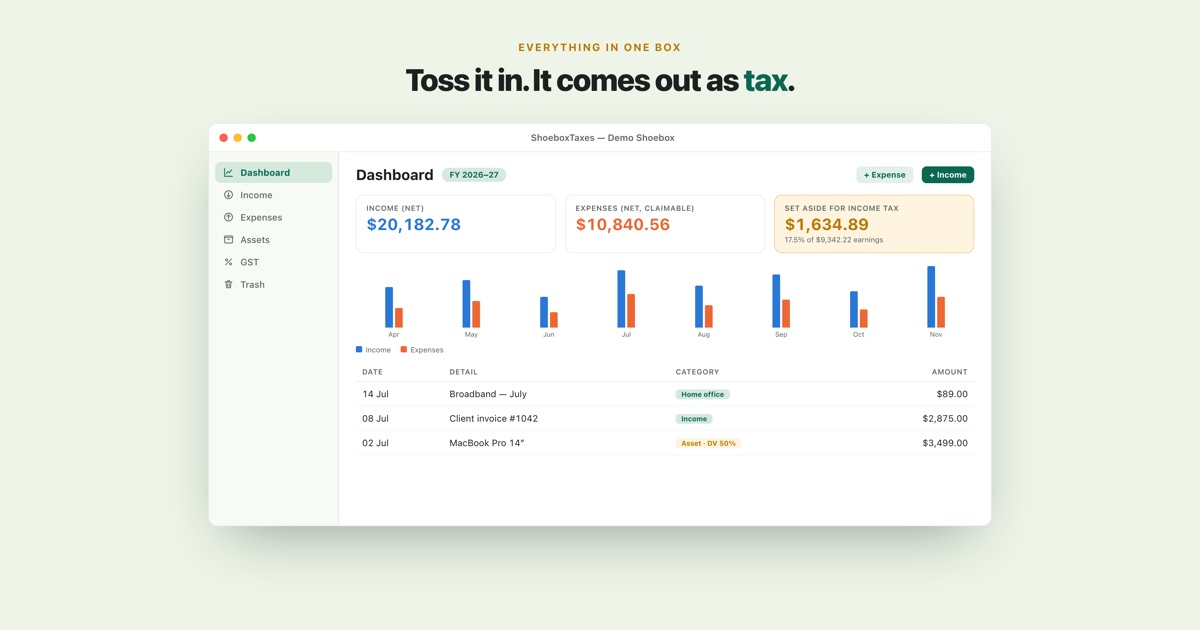
From receipt to a number you can inspect
Drop a PDF or photo onto the Mac app. ShoeboxTaxes reads it on-device, suggests the date, amount, GST and merchant, and waits for you to confirm the result.
- The original document is kept with the record.
- Your correction and confirmation stay part of the normal workflow.
- Expense, GST and tax-set-aside totals update from the records you approved.
- When you review a figure later, its source document is still there to open.
Why I left out the bank connection
A bank transaction proves that money moved. It rarely explains the business purpose, the tax treatment or what was actually bought. I chose to keep the evidence and the record together instead of asking for a bank login and reconstructing the paperwork afterwards.
That means no bank-feed subscription, no third-party aggregator and no account with me. It also means ShoeboxTaxes complements your bank statement rather than pretending the statement is the whole set of books.
Private bookkeeping on your Mac
Receipt reading, categorisation and every tax calculation happen on the Mac. ShoeboxTaxes has no bookkeeping server. If you use the separately sold ShoeboxTaxes Capture companion, only the receipt images you choose travel through the private database in your own iCloud account before the Mac imports them for review.
GST preparation, not automatic filing
ShoeboxTaxes organises your records into GST summaries and keeps a running indication of what to set aside for income tax. It does not submit a return, connect to myIR or replace an accountant. You remain the person who reviews the numbers before anything is filed.
Built for NZ freelancers and solo traders
See every feature on the ShoeboxTaxes homepage, or tell me you would like to try the beta.
Ask me about the beta